
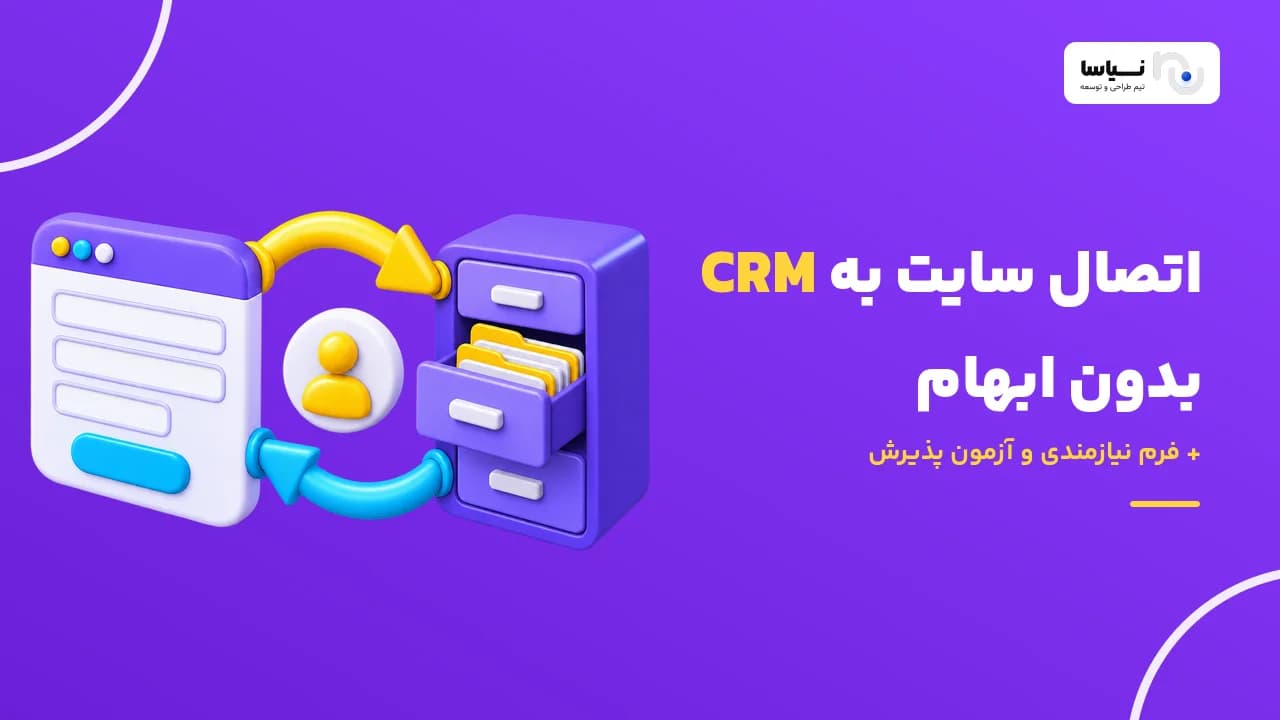
Your website form gets filled in, but nobody knows for sure who ended up with the request. Website CRM integration closes that gap. Every valid request reaches your sales software through a clear rule and gets a named owner. To pick the right approach, start by writing down the data flows, what should happen when something fails, and how you'll judge the work as done. The tool comes after that.
What problem should website CRM integration solve?
The goal is simple: every request from your website reaches the right person and doesn't get lost along the way. Picture a customer filling in your consultation form. The notification email lands in a shared inbox, and one colleague copies it into the sales spreadsheet. A second colleague assumes it's been handled. Three days later, the customer calls again.
A CRM, or customer relationship management system, is where your sales team keeps its contacts, opportunities and follow-ups. Website CRM integration is the controlled transfer of data and statuses between your site and that system, based on rules written down in advance.
But "sending it to the CRM" can mean different things. You might want one of three outcomes:
Creating a contact: only the person's details are saved to the customer list.
Creating a sales request: a lead or opportunity is created, with a clear subject and source.
Creating a follow-up task: a task with a deadline is assigned to a specific salesperson.
Choose between these based on the business problem. If your problem is lost requests, creating a contact won't fix it on its own, because a saved contact still has no owner.
My advice is to write the goal of your website CRM integration so that it can be tested: "Every valid form submission creates a traceable request with a named owner." You can test that sentence. You can't test "more sales", because the integration only sets up better conditions for follow-up.
What requirements should you define for website CRM integration?
Before any technical meeting about website CRM integration, pin down the data flows, the required fields and the trusted source for each piece of data. You also need the direction and timing of each transfer, how customers are identified, who owns follow-up, and what access levels apply. Write down what happens on failure, how duplicates are prevented, how the integration is monitored, and the acceptance criteria for each flow. Only then can you compare proposals from different vendors.
A requirement isn't the same as a tool name. "Every request goes to the salesperson for that region" is a requirement. "Let's install plugin X" is an implementation decision, and it comes after the requirement is clear. Start from the tool, and you'll quietly shrink your needs to fit its features.
Give each flow two owners. The business owner, usually the head of sales, signs off on fields and assignment rules. The technical owner makes the calls on access, errors and monitoring. Don't leave sales fields for a developer to approve alone. Developers, me included, don't always know which fields actually matter to a salesperson.
I've put a ready-made requirements template at the end of this guide, so you can write all of this down in one place.
Which data should be transferred, and what is the source of truth for each item?
Only transfer data that someone on the CRM side actually works with, and give each item one source of truth. Field mapping means deciding which CRM field each piece of website data ends up in. The example below is entirely hypothetical:
Website field | CRM field | Type | Required | Rule and source |
|---|---|---|---|---|
Full name | Contact name | Text | Yes | After first entry, the CRM is the source |
Phone number | Mobile | Text | Yes | Normalise digits and use one format |
Request ID | External ID | Unique text | Yes | Generated on the website, never changed |
Service of interest | Interest | Closed list | Yes | Only allowed values such as "Website design" or "App" |
Follow-up status | Opportunity stage | Closed list | No | The CRM is the source; read-only on the website |
For each field, write down six things: type, whether it's required, allowed values, destination, any conversion needed, and its source of truth. A common mistake is treating phone numbers as numbers. A phone number isn't something you calculate with, and stored as a number it loses its leading zero. Keep it as text.
In website CRM integration, spell out the conversion rules too. Most silent errors start right here:
Different digit scripts, such as Persian and Western numerals, are normalised before saving, so search and duplicate detection work properly.
Phone numbers are stored in one format, for example with no spaces and a fixed country prefix.
Submission times are sent with an explicit time zone. Otherwise request times show up shifted in reports.
An empty value must not overwrite complete data in the CRM unless a rule says so.
Take that last point seriously. Say a long-standing customer fills in a short form this time, without a company name. If the integration writes that empty field into the CRM, the details a salesperson worked hard to complete are wiped out, and nobody notices.
So keep the customer data your website CRM integration transfers to the minimum you need. Legacy data, file attachments and sensitive information each have their own scope and shouldn't creep into the project unannounced. Be clear about where contact details get corrected and which system holds the authoritative sales status.
What is the difference between one-way integration and two-way sync?
In a one-way integration, data flows only from the website to the CRM, and for most forms that's enough. Two-way isn't an advantage in itself. You only need it when the website genuinely needs the follow-up result, for example so a customer can see the stage of their request in their account area.
Sync means keeping selected data consistent between two systems. "Selected" is the key word. Sending the sales status back to the website is not the same as two-way rewriting of all customer data, and the two are nowhere near the same in complexity.
In one hypothetical setup, request details go from the website to the CRM, and only the "status" field, with its allowed values, comes back. A salesperson's internal note, such as "customer is price-sensitive", should never reach the website.
The hardest part is simultaneous editing, and it's what I worry about most. If a customer changes their number on the website while a salesperson changes it in the CRM at the same moment, which one is right? Give each field a source of truth and keep a version for every change. Relying on "last write wins" is simple, but the clocks on two servers don't always agree.
Another risk is the sync loop. The website sends a change, the CRM records it and sends a notification back. If the website treats that as a fresh change, it sends it again, and the cycle never ends. That's why every change has to carry its origin, so the website can recognise its own change coming back.
Scenario | Relative complexity | Main concern |
|---|---|---|
Sending the form to the CRM (one-way) | Low | Field mapping and error handling |
Sending the form and returning status | Medium | Preventing loops and controlling message order |
Two-way sync of several fields | High | Conflict rules and a source of truth per field |
This table is my relative assessment of complexity, not project statistics.
A field that two systems can change will break sooner or later unless something referees it.
When is an off-the-shelf connector enough, and when do you need custom development?
An off-the-shelf connector is enough when your flow is standard and limited, and the tool covers every step of it. For any website-to-CRM connection, check how much of your real workflow the tool covers, not its marketing feature list. Ask these five questions of any ready-made solution:
Does it recognise your custom CRM fields, or only the default ones?
Does it create sales requests, or only contacts?
Can it assign requests to salespeople using your rules?
Does it log errors and give you somewhere to see them?
Can it resend failed requests?
If the answer to all five is yes, a ready-made solution is a sensible choice, as long as it's compatible with your versions of the website and the CRM and has a clear support path. Don't underestimate that condition. A plugin whose developer doesn't respond can quietly stop working after the first CRM update.
Consider custom development when the assignment logic is complex or the data has to go to several destinations. The same applies when you have specific conflict rules or access requirements. In projects like these, we at Niasa treat website-CRM integration as part of custom website design for specialised business processes, not as a separate plugin.
That said, it isn't always all or nothing. In a hybrid approach, your current site form stays as it is, and the technical team only builds a custom transfer layer, queue and monitoring. A full redesign is not a prerequisite for website CRM integration. If someone makes it one, ask them why.
The most important thing to ask a vendor is to run the website CRM integration with your own flow and test data, and show you the result in front of you. For more questions, see key questions for evaluating a web design team.
What access and documentation do you need from the destination service?
The core prerequisite for website CRM integration is access to the CRM's API, with clear documentation. An API, or application programming interface, is the official route for software systems to exchange data. But having access to your CRM dashboard doesn't necessarily mean you have access to that route. Sometimes your current subscription has no API at all.
The first question I usually ask is which version the documentation covers. Then I look at these:
The authentication method, meaning how the service knows a request really comes from you.
Permission to create and edit records, not just read them.
Rate limits per minute or per day.
Which features are active on your current plan.
A sandbox environment separate from live data.
A webhook is an automatic notification: the CRM tells the website itself when a status changes. Without one, the website has to ask every few minutes what's changed. This polling adds delay and eats into your request quota. For understanding server responses, the documentation on HTTP and server responses is a good reference.
Here's what catches many teams off guard: testing from a developer's laptop isn't enough. Before the final estimate, test network access from your actual web server to the CRM. Sometimes the CRM only accepts approved addresses, or needs a specific setting for secure connections.
Keep a short checklist for handing over access too: a separate technical account, an owner responsible for renewing keys, and someone responsible for announcing version changes. Don't send the main admin password over a messaging app. Not to us, not to any other vendor.
How should duplicate records and assignment to salespeople be handled?
The fix is to identify the customer and the request separately. A record is a single entry in a system, such as one contact or one request. A returning customer is not the same as a new request from that customer. The first should be merged. The second should be recorded.
So you need two identifiers. One is a stable customer ID that stays the same over time. The other is a unique ID for each form submission. If a user clicks submit twice or refreshes the page, that ID stops a second request from being created.
Write down the edge cases in advance. Family members or employees of the same company may share a phone number. Someone may have changed their number. That's why automatic merging based on name alone should be ruled out. Two John Smiths aren't necessarily the same person.
When connecting a website form to a CRM, write the assignment rule explicitly. For example, "App" requests go to the product specialist, and requests from Tehran go to the Tehran team. Add a default queue as well, so a request that matches no rule, or whose salesperson is inactive, doesn't end up with no owner.
A hypothetical scenario: a contact who asked about website design last year fills in a form about an app today. In this case, the website CRM integration leaves the existing contact alone and creates a new request owned by the app specialist. To see where this point sits in the customer's path, customer journey analysis and request follow-up points will help.
What should happen when the connection drops or a transfer fails?
The website should first save the request in its own database, then track the transfer separately. Don't merge these two steps. "Your request has been received" is true. "Our team has seen your request" is a promise that may not have come true yet.
A queue is where requests wait to be transferred. If the CRM is temporarily unavailable, the website CRM integration retries at increasing intervals: one minute later, five minutes later, half an hour later. A data error, such as an invalid phone number, won't fix itself through retries, though. It needs correcting.
The more dangerous case is when the CRM saves the data but its response never reaches the website. The website assumes the send failed and sends again. If the retry goes out with the same request ID, the CRM can detect the duplicate. Check whether your CRM supports this, or whether you need to search before creating.
For permanent errors, decide on these:
The maximum number of attempts before stopping.
Who receives the alert.
How the data gets corrected.
Whether it can be resent manually after correction.
An outage must not turn into operational silence. The worst case isn't the connection dropping. It's the connection being down for two weeks with nobody noticing.
An integration that hides its errors is worse than no integration at all.
In the operations report, show three states separately: pending, successful and needs review. Control message order as well. A "deal closed" notification might arrive before "in negotiation", and an older status must never overwrite a newer one.
How should customer data and access events be protected?
The key for your website CRM integration must stay on the server side, in a secure location. If the key sits in the page code, any visitor can see it with browser tools. Limit the technical account to the operations it needs. An integration that only creates requests doesn't need delete permission.
Also put these in your requirements: encrypted connections, a key rotation schedule, a way to revoke access immediately, and verification of incoming notifications. Without that verification, anyone can pretend to be your CRM and send fake statuses. For a list of common risks, see the API security guide.
Logging means keeping a trail of operations so you can trace them later. Log the request ID, time, result and who or what made the change. Don't log the full form content or access credentials, because logs are usually less protected than the database. In code reviews, this is one of the first things I check.
Coordinate retention, deletion and correction of data between the two systems too. If a contact is deleted in the CRM while the website still holds a copy, the next sync could recreate them. For sensitive data, restrict support access and use fake data in the test environment. Real customer information has no place in demos or open testing.
How should you run acceptance tests and reconcile transferred requests?
Put simply, acceptance testing checks whether the agreed outcome has actually happened from the business's point of view. A technically successful response, like a 200 code from the server, doesn't prove on its own that the request was recorded and assigned correctly.
For each website CRM integration flow, build a test row: fake input, precondition, action, expected result, evidence and approver. For example:
Test | Input and precondition | Expected result | Evidence |
|---|---|---|---|
Form submission | "Test Contact A" with ID "TEST-001" | One request, a named owner, a traceable CRM ID | CRM record and ID in the report |
Status return | Stage changed in the CRM | Only the allowed website field changes, and nothing is resent | Logs on both sides |
Duplicate submission | Two submissions with one ID | Only one request | Record count |
Drop after save | Connection drops after the CRM saves | Retry doesn't create a duplicate | Log and CRM record |
Invalid field | Incomplete phone number | "Needs review" status and an alert | Error report |
Inactive salesperson | The region's owner is inactive | The request goes to the default queue | CRM record |
The approver for each row is the head of sales, not just the technical team. They're the one who knows whether the request really reached the right hands.
After your website CRM integration goes live, don't forget to reconcile. Over a set period, say one week, count the unique valid requests on the website. Then match that against the total of successful, pending and unresolved failed transfers. The two numbers should be equal. Don't confuse send attempts with requests, though. One request may have been attempted three times.
What does the cost of website CRM integration depend on?
More than anything, the cost of website CRM integration depends on the number of flows and the rules in each flow, not the number of fields. Ten simple fields are usually simpler than one multi-step assignment rule. Connecting your website to sales software can also go beyond creating contacts: creating opportunities, follow-up tasks and returning statuses.
The main cost drivers are:
The quality of the API documentation and whether a sandbox exists.
How easy it is to get access and the permissions you need.
How much data conversion and normalisation is required.
The complexity of the assignment rules.
Whether the sync is one-way or two-way.
Testing the failure scenarios.
Monitoring and reporting features.
When estimating website CRM integration, separate setup cost from ongoing costs. API access subscriptions, queue infrastructure, maintenance and keeping up with new CRM versions all cost money over time. A proposal that only gives you a setup figure shows you half the picture.
To compare proposals, make the scope identical. Legacy data migration, error reporting, sales team training and support need to be clearly inside or outside the contract. We explain how to write these boundaries in defining scope and delivery in a website design contract.
If your budget is tight, start with one high-value flow and add more once the first has been accepted. But dropping error handling is not the right way to shrink the scope. That's the part that saves you on a bad day.

How do you fill in the integration requirements template?
Fill in this template across four sheets of an editable spreadsheet, and bring a printed copy to your meeting with the sales team. The sheets go in this order:
Overview: the problem, the systems and their versions, the technical owner, the sales owner, what's in scope and what's out.
Flows: one row per flow, plus the field mapping for that flow.
Rules: customer and request IDs, duplicate rules, assignment, conflicts, connection failures and access.
Acceptance: the acceptance test and the evidence of a pass for each flow.
Here's what a completed, hypothetical row on the flows sheet looks like:
Column | Sample value |
|---|---|
Flow | Website consultation form |
Output in CRM | Create a sales request |
Assignment | Based on the selected service; if no match, the default queue |
On outage | Hold in the queue and retry at increasing intervals |
Acceptance criterion | Every valid submission creates a traceable request with a named owner |
My advice is not to fill in every flow at once. Complete this one row with your head of sales first. Then send it to vendors and ask them to set out an off-the-shelf and a custom approach side by side, for that row alone. One precise row will serve you better than ten half-finished ones.
If you'd like to take your website CRM integration forward with Niasa, the work starts by clarifying scope and acceptance criteria, not by choosing a tool. The decision between a ready-made, hybrid or custom solution comes after that, based on this template.
یک جریان اطلاعات را در فرم نیازمندی تکمیل کنید و برای بررسی تناسب راهکار آماده یا اختصاصی با تیم نیاسا مطرح کنید.
Frequently asked
5Do we need to redesign our website to integrate it with a CRM?
Usually not. First, review what your forms can do, whether you have server-side access, and whether the CRM can exchange data. Sometimes adding a transfer layer is enough. Sometimes the current site structure is limited enough that bigger changes are needed.
Is integration possible without an API?
The CRM may offer another official route, such as file import or structured email intake. These methods don't necessarily give you instant, traceable transfer. If no supported route exists at all, get the limitations and maintenance cost spelled out before you commission any development.
Can we also move our existing website customers into the CRM?
Yes, if the data can be exported and the CRM can accept it. Treat it as a separate initial migration with its own scope. Clean the data, identify duplicates and run a trial on a small slice before the full transfer.
Is two-way sync always better?
No. If the website only collects requests, sending everything back raises both cost and the risk of conflicts. Only send back data that has a clear use in the user experience or in the site's operations.
Who should monitor the integration after launch?
The technical owner should watch connection and access errors. The sales owner should follow up on requests that are incomplete or have no assigned owner. Write the names of these roles, the alert path and the authority to resend into the maintenance agreement.