

In the sales system, the order is marked “paid.” Accounting hasn't recorded it yet, and the warehouse is still waiting for confirmation. Software integration closes exactly this gap. It moves data in a controlled way and gets confirmation from the receiving system. Before you connect anything, though, three things need to be clear: which system is the source for each piece of data, when data moves, and who deals with errors.
What is software integration, and what does it require?
Put simply, software integration means separate systems exchange the data and events they need according to defined rules. Nobody has to type the same information in several times. The prerequisites are authorized access, exchange documentation, a shared identifier, a designated source for each piece of data, sync rules and someone responsible for errors. Before you start, check that each of these actually exists and works.
So how do you know you need software integration? The signs are usually measurable: duplicate data entry, waiting on reports, and discrepancies in stock levels or accounting records. For one working period, log the number of duplicate entries, the waiting time and the number of mismatches. Those same numbers later become your yardstick for judging whether the integration worked.
Imagine your finance team retypes every order each day. The issue isn't just staff time. A single mistake in an amount, a product code or a payment status takes effort to track down and fix. Connecting your software should target that specific problem.
That said, low-volume, low-risk exchanges don't always need an automated link. A controlled file with a named owner and regular reconciliation may be enough. This guide is about connecting several operational systems. Choosing a tool or walking through the setup of a specific product is outside its scope.
How does connecting sales, inventory and accounting work?
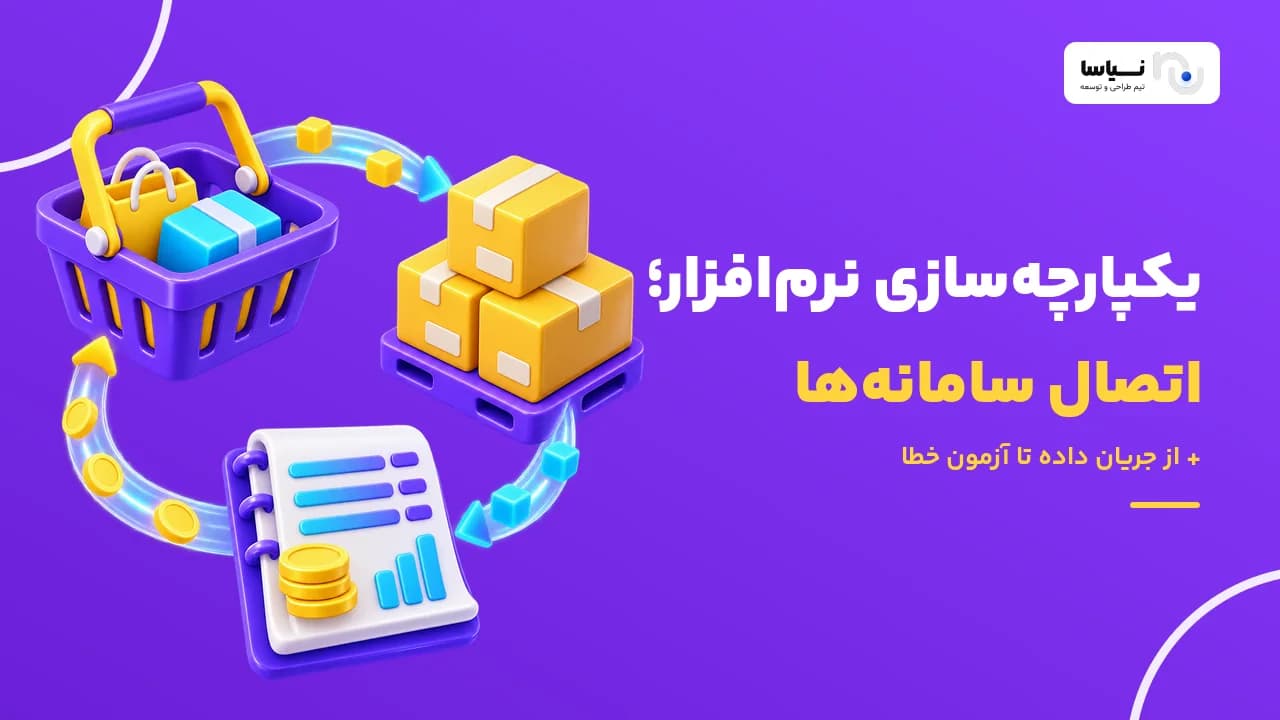
In this flow, sales announces the order event, and inventory responds about reservation and stock. Accounting posts an entry according to the financial rules. The integration's job is to send the outcome of each step back to whichever parts of the business need it.
Take a hypothetical shop with 200 products. A customer orders two items, but recording the order doesn't yet mean the goods leave the shelf. Inventory first checks available-to-sell stock, meaning the quantity that other orders haven't already reserved.
Sales records the order with a fixed ID and sends a reservation request.
Inventory reports a reservation or a shortage, and sales updates the order status.
At the agreed point, say after shipment is confirmed, accounting posts the entry.
The document number and posting result flow back into the order's tracking trail.
Reserving goods, reducing physical stock and posting a financial entry are three separate events. The business owner decides when each one happens. When you connect accounting software, the technical team shouldn't be making financial calls about when revenue is recognized or what kind of entry gets posted.
The order ID must be traceable in all three systems. The accounting document number won't necessarily match it, so the integration has to keep the link between the two. That link is called ID mapping.
The data flow map also needs to cover cancellations, partial shipments and returns. A returned item doesn't automatically give you permission to delete a financial entry. In software integration, a map that shows only the arrows for sending hides the confirmation and failure paths.
How is connecting systems different from replacing them?
Integration leaves your current systems and their responsibilities in place. Replacement changes the main tool and usually part of how people work. Swapping software isn't just moving data. You also have to train users and keep control of historical records.
If the system's core features fit and it offers a supported exchange path, look at a limited integration first. Age alone isn't a reason to replace software. What matters more is whether you can reliably read and write valid data.
If the system has no stable identifiers, or can't support essential business rules, integration may just move the limitation somewhere else. Of the two, take missing stable IDs more seriously, because without them no exchange can be traced properly. In that case, weigh the cost of maintaining a fragile connection against the disruption of a migration. Migration means a controlled move of data and users' work to a new system.
To draw the line between building and connecting, our guide What is custom software, and when do you need it? will help you decide. If replacing tools is also on the table, use the ready-made vs. custom software comparison as the basis for weighing your options.
Before any software integration, answer one question: is the problem the lack of a connection, or the system itself falling short? The answer changes the scope of the project.
What are the connection methods and access prerequisites?
The right connection method depends on what the system can do and how much delay is acceptable. The name of a technology shouldn't decide it. An application programming interface (API) is a defined path through which programs send requests and exchange data. A web service provides that same access over a network.
A daily financial report, for example, may run fine on an official file export, but stock reservation usually needs a faster exchange. And connecting systems through a web service doesn't automatically mean real-time transfer. Decide separately when data is sent and when it is processed.
File exchange: suits periodic work. Agree on the format, version number and receipt confirmation in advance.
Scheduled polling: the integration checks for changes at set intervals, so it has to remember where the last successful fetch ended.
Event notifications: the system announces a change itself. The receiver must verify each message and track its processing status.
Before choosing, ask for the usage license, the system version, documentation, sample responses and a test environment. Check request rate limits and network access too. Sometimes access is only allowed from approved network addresses.
Ask the vendor two more questions. The first is the one I usually ask before anything else: is access read-only, or does it also cover creating and editing records? The second is how version changes are announced. For the technical details of requests and responses, the implementation team can refer to the HTTP documentation on request and response exchange.
Not having a web service doesn't make software integration impossible. Official file import and export may be enough. Writing directly into the database without the vendor's support is risky, though, and I always avoid it. A shortcut like that can bypass the internal controls on posting entries or updating stock.
How do you decide the source of truth and sync rules?
Each type of data, and sometimes each field, needs its own source of truth. One source for the whole organization doesn't work. A field is a single piece of information, such as an amount or a document status. In a hypothetical setup, inventory is the source for stock levels and accounting is the source for document status.
Syncing data between software doesn't mean copying everything both ways. For each flow, write down the source, destination, shared ID, direction and acceptable delay. Define what happens on edits and deletions too. A deletion at the source shouldn't always wipe out the history at the destination.
An amount of “100” means little without a currency. Rials or tomans, dollars or cents, the unit of measure, the time zone and the date format must all be settled before any exchange. A “pack” in sales might be several “units” in the warehouse. Early tests rarely catch these errors, so look for them in your sample data from day one.
Data and source | Sync timing | Likely error | Who handles it |
|---|---|---|---|
Stock; inventory | After each change, with periodic reconciliation | Unit-of-measure mismatch | Inventory data owner |
Document status; accounting | After posting or correction | No link to the order | Integration developer, with finance sign-off |
Product details; the system the business chooses | In a daily batch | Duplicate code | Product data owner |
These timings are only an example of a sync policy. They aren't a prescription that fits every business. In enterprise system integration, the delay you allow for each piece of data should match the risk that comes with it.
The newest value isn't necessarily the right one.
When two systems edit the same record at the same time, the timestamp shouldn't be the only referee, because server clocks don't always agree exactly. Either apply the source-of-truth rule or hold the conflict for someone to review. Software integration without data owners just spreads discrepancies faster.
How are duplicate data and dropped connections handled?
To handle duplicates and outages, every operation needs a unique ID, a trackable status and a recovery path. Suppose the destination has posted the entry but its response never reached the integration. The outcome is unknown. It hasn't necessarily failed.
That's why resending must not create a second entry. Idempotency means that if the same request arrives several times, it has only one financial or inventory effect. The operation ID must also stay the same on every retry. If you generate a new ID each time, duplicate detection stops working.
The ID alone isn't enough, though. The destination, or an agreed mechanism, has to check the operation's history and return the earlier result. If the interface can't do that, query the result before retrying and reconcile it against your records.
Durable queue: holds pending requests so they aren't lost if a service shuts down.
Retry: used for temporary errors, with increasing intervals and a fixed cap.
Review queue: hands invalid data to the person responsible for fixing it. Automatic retries won't correct a wrong product code.
Events can also arrive out of order. Check the version or valid sequence of changes so that an old message doesn't overwrite a newer state. If the order-created message arrives after the cancellation message, for example, it mustn't reactivate the order.
In software integration, keep the “pending,” “confirmed” and “needs attention” statuses separate. I recommend making destination confirmation the condition for showing success. A dropped connection shouldn't hide behind a green success message.
A send the destination hasn't confirmed isn't a success yet.
How do you test for mismatches and dropped connections?
Run both tests in a test environment, with defined data and an expected result written down in advance. Acceptance testing means checking whether the integration actually meets the business criteria you agreed on. One normal order going through successfully isn't enough for acceptance.
First, create a hypothetical order with two line items and a fixed ID. Record the starting stock, the reserved quantity and the document status. The integration developer should then trigger a controlled failure and keep before-and-after evidence.
Let the destination post the entry, but deliberately block the response from reaching the integration middleware.
Restore the connection and resend the same operation with the same ID.
Check that there's only one financial effect and that the stock reservation wasn't duplicated.
Make sure the final status, and the path that led to it, can be traced.
Then run the mismatch test on its own: set an invalid product code at the destination. The integration must not report the operation as successful. The inventory data owner fixes the mapping, and the integration developer reprocesses the corrected operation.
Final sign-off belongs to the data owners. The finance lead confirms the entry is correct, and the inventory lead confirms the stock. If the destination interface behaves differently from its own documentation, the vendor of that system is responsible for fixing it. The integration developer should give the vendor the request, the response and the conditions needed to reproduce the error.
Record each test result with these details: operation ID, expected result, actual result, evidence, who's responsible for the fix, and the retest result. Don't make the software integration live until the errors that block acceptance are fixed. Agree beforehand which errors stop the launch.
How do you secure access and log exchange events?
Create a dedicated account for the integration with the minimum access it needs, and keep its activity traceable. A system administrator account or an employee's personal account is the wrong choice. The first has far too much access, and the second depends on one person. An employee leaving shouldn't bring your company's integration to a halt.
A flow that only reads document status, for example, doesn't need permission to delete documents. Encrypt data in transit and store access keys somewhere secure. An access key is effectively the software's permission to use the interface, so don't put it in code or in a support message. A key that has been committed to a code repository is no longer safe, even if you delete it later.
Plan for revoking and rotating keys from the start. The test environment should have its own accounts and keys too. For a technical review of threats and access control, the API security reference is a good starting point for the implementation team.
In the event log, record the operation ID, time, source, destination, status and error code.
Keep passwords, keys and the full content of sensitive data out of the logs.
Carry a shared tracking ID through every system along the path.
Decide how long logs are kept and who is allowed to see them.
Logs alone won't keep work from stalling, though. Set up alerts for a stopped queue, stuck requests and rising error rates. In software integration, every alert needs a named recipient and a clear next step. An alert that goes to everyone usually gets followed up by no one.
What drives integration cost and vendor responsibility?
When estimating software integration, the number of systems alone tells you little. Cost depends more on the number of flows, the exceptions and the quality of access. Two systems with complicated returns and incomplete documentation may need more investigation than several simple ones.
Data cleanup, exchange volume, the need for fast responses and acceptance testing all affect the estimate too. Keep the initial build cost separate from access licensing, infrastructure, monitoring and maintenance as versions change. Monitoring means continuously checking the health of the exchange and spotting disruptions.
Area | Primary owner | Expected output |
|---|---|---|
Exchange and retry logic | Integration developer | Fixed flow and test evidence |
System interface behavior | That system's vendor | Interface defect fixed according to its documentation |
Data rules and meaning | Process owner in the business | Authoritative decision and sign-off on results |
The business side should appoint a coordinator so that disputes between vendors don't end up with no owner. Write response times, the escalation path and the follow-up method into the agreement. The coordinator isn't necessarily the person who fixes every technical error.
Also make clear who owns the integration code, the documentation and the accounts, and how support continues if you change contractors. If the integration needs custom middleware logic, custom programming and software can cover just that limited piece. That need doesn't mean you have to rewrite your existing systems.
What should you prepare before requesting a system integration?
Prepare a list of your systems and one measurable data flow. A vague request to “connect everything” can't be estimated. Next to each system's name, note its version, vendor and contact person.
You can fill in your initial request with this short template:
Data … should move from system … to …; the source of truth is …; the acceptable delay is …. Errors go to …; acceptance is confirmed by test ….
Attach the access documentation and anonymized sample data. You don't need real customer information for an initial review.
Note the approximate daily volume and peak periods.
Specify identifiers and the conversion rules for currency and units of measure.
List the scenarios for edits, cancellations, returns and partial shipments.
Define the acceptance criteria, who signs off, and how work is handled manually during an outage.
To organize this information, the requirements checklist for ordering software can help. Your request should focus on data, responsibility and testable outcomes. A list of technologies isn't enough.
My advice is to start software integration with one limited flow. Before go-live, decide how sending can be stopped and who takes over manually. When you switch back to automatic mode, reconcile the operations done by hand against your records so they aren't posted twice.
The output of your first step in software integration is two documents: a list of your systems and a round-trip map of one flow. With those two documents, you can assess feasibility and find the access you're still missing.
فهرست سامانهها و یک نمونه جریان داده را آماده کنید تا درباره پیشنیازهای بررسی امکان اتصال گفتوگو کنیم.
Frequently asked
5Is software integration possible without an API?
Sometimes exchanging files in a defined format, through an official send-and-receive path, is enough. If there's no supported access at all, first ask the vendor whether it can be added. Editing the data directly isn't a reliable substitute.
Does data in every system need to sync in real time?
No. Timing depends on what a delay would cost you. Sellable stock may need fast updates, but a management report can work fine with a periodic exchange.
What information do you need to connect accounting software?
You need clarity on the software version, access permissions, available operations and documentation for the financial fields. Your finance lead also needs to approve the rules for posting, correcting and reversing entries. Technical access alone isn't enough.
Is data lost when the connection drops?
That depends on how the integration is designed. Durable storage of requests and status tracking can keep operations from going missing. Test recovery, because resending without recognizing the earlier operation can create duplicate data.
Who is responsible for resolving mismatches between systems?
Responsibility depends on the cause: the input data, the integration logic or the way the destination interface behaves. It's best to have one person in the business coordinate, and to give the relevant teams the evidence for each operation so they can find the cause.